- Why the Right Tool Actually Matters
- Spreadsheets: The Free Classic
- Full Wedding Planning Apps (Budget, Guest List, Checklists)
- Where Most Planning Tools Fall Short: Saving Ideas and Inspiration
- What to Actually Look For in a Wedding Planning Tool
- Free vs. Paid: What You're Actually Paying For
- Vendor Communication Tools
- Team Access: Planning With a Partner or Planner
- How to Combine a Few Tools Without It Becoming a Mess
- A Few Signs a Tool Isn't Going to Work for You
- FAQ
If you've typed "wedding planning tools" into Google at 11pm with six tabs open and a half-finished mood board, you're in good company. Most engaged couples try two or three different tools before landing on one that actually sticks. Some are genuinely useful. Some are bloated with features you'll open once and never touch again. Here's an honest breakdown of what's actually worth your time in 2026, free and paid, and where most of these tools quietly fall short.
Why the Right Tool Actually Matters
Weddings generate a surprising amount of scattered information fast. A venue link here, a caterer's Instagram there, a budget spreadsheet your mom started, a group chat full of dress opinions. None of it is hard to find in the moment. All of it is hard to find three weeks later when you actually need it.
The right tool doesn't need to be fancy. It just needs to catch things before they get lost, and let you find them again without scrolling through six months of texts.
Spreadsheets: The Free Classic
A shared Google Sheet is still one of the best free tools available, and it's not close. You can build a budget tracker, a guest list, a vendor contact sheet, and a day-of timeline, all in tabs you fully control. Templates are everywhere, and you can customize the columns to match how you actually think, not how an app designer thinks.
The catch is that spreadsheets are only as good as the person maintaining them. They don't remind you to update anything, they don't sort themselves, and they're a rough place to save visual inspiration. A spreadsheet cell can hold a link. It can't hold a mood.
Full Wedding Planning Apps (Budget, Guest List, Checklists)
There's a whole category of apps built around the logistics side of planning, budgets, guest lists, RSVP tracking, day-of checklists. Platforms like The Knot and Zola bundle a wedding website, registry, and guest list tools together, which is convenient if you want the public-facing and logistics side handled by one login. If you want one dashboard for the numbers and the to-do list, this is the category to look at.
The tradeoff is that most of these apps are built for structured data, not loose inspiration. They're great at "did everyone RSVP" and less great at "where did I see that centerpiece I liked." That's a different job, and it usually needs a different tool, which is exactly the gap the next section gets into.
Where Most Planning Tools Fall Short: Saving Ideas and Inspiration
This is the gap almost nobody talks about. You're scrolling Instagram and see a dress you love. You're on TikTok and a florist's reel stops you mid-scroll. You screenshot something on Pinterest. Somebody texts you a link to a venue. None of that lives in your budget spreadsheet, and none of it fits neatly into a checklist app either.
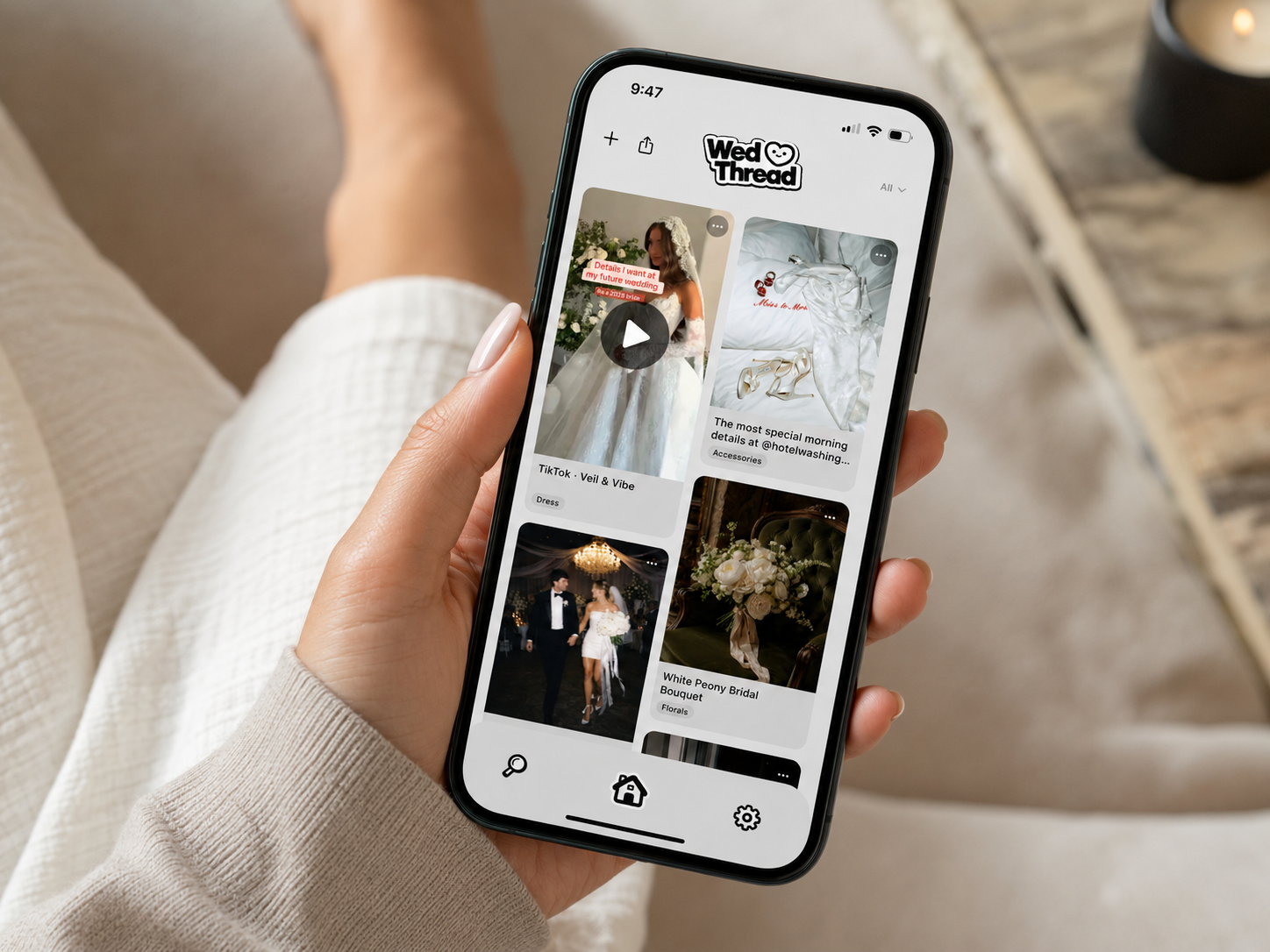
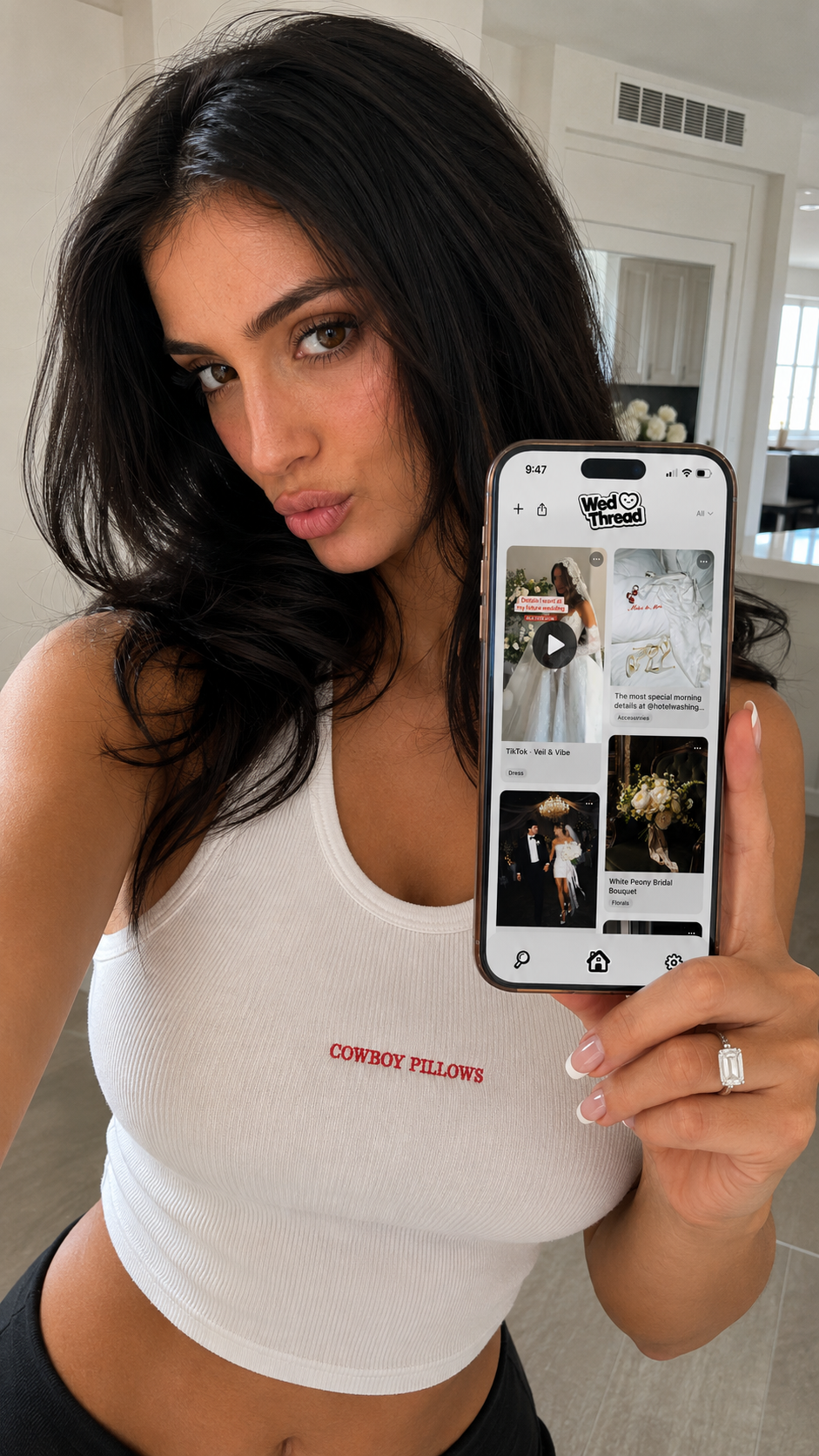
Most couples end up with inspiration spread across four or five apps plus a camera roll full of unlabeled screenshots, which is exactly the mess this whole search was trying to avoid in the first place. WedThread is built specifically for this piece: it saves dresses, venues, florists, and any other idea the moment you find it, from Instagram, Pinterest, TikTok, or anywhere else with a share button, plus screenshots straight from your camera roll, then sorts everything automatically into categories like Venue, Photographer, and Florals so you're not digging through a messy camera roll later. When you're ready to compare notes with your partner or send a florist what you've saved, you can share a whole category as a link, no app required for them to view it.
What to Actually Look For in a Wedding Planning Tool
Skip the feature list and ask three practical questions instead. First, how fast can you add something in the moment, standing in line, mid-scroll, on your lunch break? If it takes more than a couple taps, you won't actually use it. Second, can you find what you saved weeks later without scrolling forever? Search and categories matter more than they sound like they would. Third, can you share what you've got with the people who need to see it, your partner, a bridesmaid, a vendor, without making them download something?
A tool that's genuinely fast to use beats a tool with more features every time.
Free vs. Paid: What You're Actually Paying For
Most planning tools follow the same pattern: a free tier that covers casual use, and a paid tier that removes a cap, usually on storage, saves, or guest count. Before upgrading anything, it's worth figuring out which limit you're actually going to hit. If you're a light user, free tiers often cover an entire wedding start to finish. If you're the type to save a hundred ideas in the first week of being engaged, you'll bump into the free limit fast, and that's a fair trade to pay for.
Vendor Communication Tools
Somewhere between the spreadsheet and the inspiration feed, you'll also want a way to keep vendor conversations straight, who quoted what, which photographer you actually liked, what the florist said about seasonal flowers. A dedicated "Vendor" folder or category, wherever you keep it, saves a surprising amount of backtracking later when you're comparing quotes months apart.
This matters more than it sounds like it should. Vendor research tends to happen in bursts, a weekend spent messaging six photographers, then nothing for a month, then another burst when you're down to a shortlist. Without something tracking the thread, it's genuinely hard to remember three weeks later why you liked one quote over another, or what a vendor actually said they'd include for the price.
Team Access: Planning With a Partner or Planner
Most tools handle multi-person access differently, and it's worth checking before you commit to one. Spreadsheets are easy to share but easy to accidentally overwrite. Some planning apps support shared logins or guest access for a partner, planner, or parent contributing to the budget. If more than one person is actively involved in planning, confirm the tool actually supports that before you're three months in and realize only one person can see what's been saved.
How to Combine a Few Tools Without It Becoming a Mess
Realistically, most couples end up with two or three tools working together instead of one tool doing everything: a spreadsheet for numbers, a checklist app or a paper list for tasks, and something built specifically for saving inspiration. That's not a failure to find the perfect app. It's just how wedding planning actually works, since budgeting and idea-saving are genuinely different jobs. The trick is picking one tool per job and sticking with it, instead of half-using five different apps at once.
A Few Signs a Tool Isn't Going to Work for You
Not every tool that looks good in the app store actually holds up in daily use. A few warning signs worth noticing early: if saving something takes more than two or three taps, you'll stop doing it within a week. If search doesn't actually work well, or categories are too broad to be useful, you'll end up scrolling instead of finding. And if a tool requires the other person, a partner, a bridesmaid, a vendor, to create an account just to see something you shared, that's friction most people won't push through. The best planning tools tend to be the ones you barely notice using, because they're fast enough that saving something becomes a reflex instead of a chore.
A shared Google Sheet is still the most flexible free option for budgets and guest lists, and a dedicated app like WedThread is the best free option for saving and organizing inspiration. Most couples end up using one of each rather than a single all-in-one tool.
Not necessarily. Plenty of couples get through planning with free spreadsheets and a notes app. Paid tools tend to earn their keep when you're saving a lot of inspiration or coordinating with a lot of people, since the free tiers usually cap how much you can store.
A planning app helps you organize the behind-the-scenes work, budget, vendors, ideas, checklists. A website builder is the public-facing page you send to guests with your registry and RSVP info. Most couples end up using at least one of each.
Realistically, no single app does budgeting, guest lists, vendor contracts, and inspiration equally well. Most planners end up combining two or three tools that are each good at one thing rather than hunting for one that does everything.
As soon as you're engaged, even before you've picked a date. The habit of saving and organizing ideas as you find them is much easier to build early than to catch up on six months in.
Speed to add something in the moment, a way to actually find it again later, and the ability to share what you've got with the people who need to see it, your partner, your planner, or a vendor.
No, and it doesn't try to be. WedThread is built specifically for saving and organizing wedding inspiration from Instagram, Pinterest, TikTok, and anywhere else you find ideas, so you're not digging through screenshots and DMs later. It's not a budget tracker or guest list tool.
Pinterest is great for browsing, but it only really catches what already lives on Pinterest. WedThread saves from any app with a share button, including TikTok, Instagram, and random websites, plus your camera roll, so everything ends up in one feed instead of scattered across four apps.